
Top VPN Services for Windows in 2026: Secure, Fast & Reliable Choices
Selecting the Best VPN for Windows in 2026 can be challenging because countless VPN providers offer similar features and pricing plans. Comparing every service individually can take a lot of time, which is why we’ve prepared this guide to help you make an informed decision. From pricing and security to speed and server availability, this article highlights the key factors that matter when choosing a VPN for Windows.
Before investing in any VPN app, it’s important to spend some time researching the available options. A VPN plays a vital role in protecting your online privacy, securing sensitive information, and ensuring safer internet access. Understanding what to look for before purchasing a VPN service can help you avoid unreliable providers and select one that meets your security requirements.
In this guide, we’ll also introduce some of the best VPNs for Windows available in 2026 and briefly explain what makes each one worth considering. Before exploring those providers, let’s look at the most important factors every Windows user should evaluate.
Key Factors to Consider Before Choosing a VPN for Windows
VPN Provider’s Jurisdiction
The country where a VPN company is headquartered can have a direct impact on your online privacy. Different countries follow different privacy regulations and data retention laws. Even if a provider advertises a strict no-logs policy, it’s always worth considering the legal jurisdiction under which the company operates. Choosing a VPN provider based in a privacy-friendly country adds an extra layer of confidence.
No-Logs and Privacy Policy
Privacy should always remain one of the top priorities when selecting a VPN service. Reputable providers are transparent about their logging practices and clearly explain what information they collect, if any. A trustworthy VPN service follows a verified no-logs policy and avoids misleading statements hidden within lengthy terms and conditions. In recent years, many leading VPN companies have also undergone independent no-log audits to further strengthen user trust.
Encryption Standards
Strong encryption is the foundation of every secure Windows VPN. Most premium VPN providers rely on AES-256 encryption, which continues to be one of the highest industry standards for protecting online data. Many modern VPN services also support advanced protocols such as WireGuard, OpenVPN, and IKEv2, offering an excellent balance between speed and security.
Connection Speed and Performance
Encrypting internet traffic naturally introduces some overhead, which may affect connection speed if the VPN infrastructure is not properly optimized. For this reason, choosing a provider with fast and stable servers is essential. A reliable VPN for Windows should deliver consistent performance for browsing, streaming, gaming, video conferencing, and downloading without noticeable slowdowns.
Pricing and Overall Value
While affordability is important, price should never be the only deciding factor. Reliable VPN providers maintain transparent pricing structures and usually offer flexible subscription plans, free trial options, or money-back guarantees. Responsive customer support, detailed FAQs, and helpful setup guides also add value to the overall service.
Server Network Coverage
A large server network provides greater flexibility when switching virtual locations or accessing region-specific content. The best VPN for Windows typically offers servers across multiple countries, allowing users to enjoy faster connections, reduced congestion, and improved reliability regardless of their location.
P2P and Torrenting Support
Not every VPN provider supports peer-to-peer (P2P) file sharing. If torrenting is one of your primary requirements, make sure the VPN explicitly allows P2P traffic and includes essential security features such as a Kill Switch and DNS leak protection to keep your identity protected during file transfers.
Why Should You Use a VPN on Windows?
Modern VPN applications are designed to be user-friendly, making them suitable for beginners as well as experienced users. Whether you’re working remotely, streaming content, gaming online, or simply browsing the web, a VPN helps create a safer online experience.
Using a VPN for Windows offers several important benefits, including:
- Encrypting your internet connection to protect sensitive data.
- Securing your browsing sessions on public Wi-Fi networks.
- Hiding your IP address to improve online privacy.
- Reducing tracking by advertisers and third-party websites.
- Accessing region-restricted content where permitted.
- Preventing DNS and IP leaks with advanced security features.
- Providing a safer browsing experience on Windows laptops and desktop computers.
As cybersecurity threats continue to evolve in 2026, using a trusted VPN has become an essential part of protecting your digital privacy and maintaining secure internet access.
What Makes a Great VPN for Windows?
Before selecting our recommended VPN providers, we evaluated them based on several important criteria that directly affect the user experience.
- A well-designed Windows application that is simple and easy to navigate.
- Support for secure VPN protocols, including OpenVPN and modern alternatives such as WireGuard.
- Built-in DNS, IPv6, and WebRTC leak protection.
- Excellent speed, reliability, and overall performance.
- The ability to access popular streaming platforms, including Netflix and other major streaming services, where supported.
- Strong encryption standards and a verified no-logs policy.
- Compatibility with both Windows 10 and Windows 11 devices.
Keeping these factors in mind will help you choose a VPN service that delivers the right combination of security, performance, and value for everyday use.
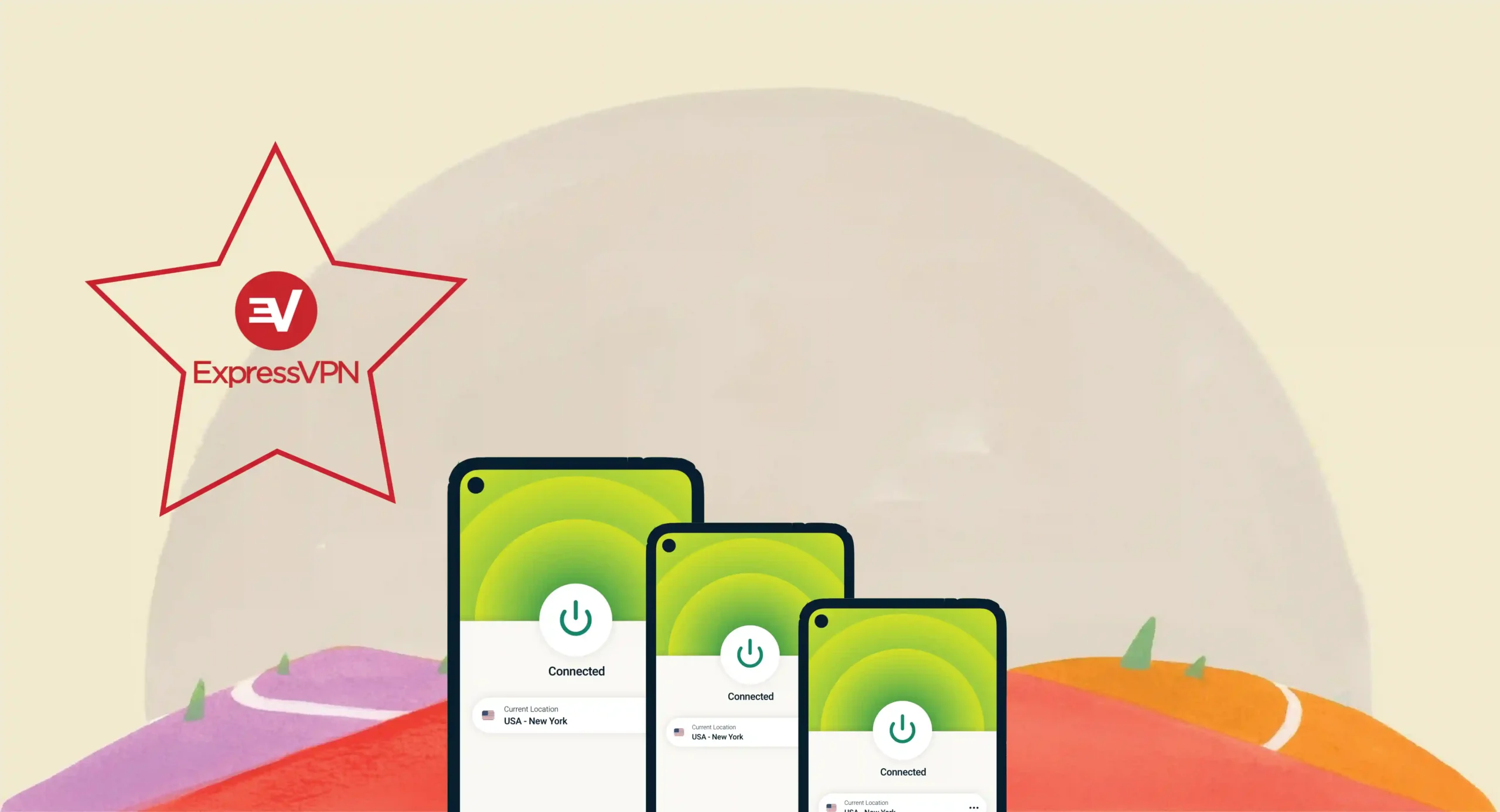
Express VPN !!!
Express VPN
Best Overall Performance for Speed, Privacy, and Streaming

ExpressVPN is considered one of the leading VPN services for Windows users because of its combination of strong security, fast performance, and user-friendly design. Installing ExpressVPN on Windows is a straightforward process, making it suitable for both beginners and experienced users.
The application supports modern Windows operating systems, including Windows 10 and Windows 11, while providing a smooth and reliable experience. Once you complete the registration process, ExpressVPN sends a confirmation email containing the necessary details and instructions to help you begin the setup process.
After accessing the provided link, you can download the Windows VPN application directly from the official website. During installation, you will receive an activation code that is required to verify and activate the application on your device. It is recommended to save this code securely in a password manager, clipboard, or private document because it will be needed during the setup process.
Installing ExpressVPN on Windows Devices
The ExpressVPN installation process is designed to be simple and requires only a few steps.
Follow these instructions:
- Download the ExpressVPN application for Windows.
- Open the downloaded setup file to begin installation.
- Follow the on-screen instructions provided by the installer.
- Enter your activation code when requested.
- Complete the installation process and launch the application.
After entering the activation code, ExpressVPN will automatically configure the necessary settings. Once the setup is completed, the application will ask you to select your preferences before connecting to a VPN server.
ExpressVPN may also provide an option to share anonymous usage analytics. This information helps improve application performance; however, the company states that it does not collect personal browsing information or identifiable user activity.
Connecting to an ExpressVPN Server
After successfully installing ExpressVPN, connecting to a secure VPN server requires only one click.
Simply open the application and press the connection button. The Smart Location feature automatically selects the most suitable server based on your location, network conditions, and expected performance.
When the application displays the “Connected” status, your internet connection is protected through ExpressVPN’s encrypted VPN tunnel. You can then browse the internet with enhanced privacy and security.
Key Features of ExpressVPN for Windows
ExpressVPN includes several features designed to provide a secure and convenient browsing experience:
Advanced Encryption Technology
ExpressVPN uses AES-256 encryption to protect user data and prevent unauthorized access. This encryption standard is widely recognized for providing strong protection against online threats.
Lightway VPN Protocol
The Lightway protocol is designed to deliver faster connections while maintaining strong security. It helps users achieve better performance for streaming, browsing, gaming, and online communication.
TrustedServer Technology
ExpressVPN uses RAM-based servers, meaning data is not permanently stored on physical hard drives. This approach improves privacy and reduces the risk of information retention.
Network Lock (Kill Switch)
The Network Lock feature automatically blocks internet traffic if the VPN connection unexpectedly drops. This prevents accidental exposure of your real IP address and online activity.
Split tunneling
Split tunneling allows users to choose which applications use the VPN connection while allowing other apps to access the internet directly. This provides greater flexibility when using Windows devices.
Private DNS Protection
ExpressVPN operates its own private DNS on every server, helping protect users from DNS leaks and improving connection reliability.
Performance and User Experience
ExpressVPN is designed for users who require a balance between security and speed. Its optimized server network provides stable connections for everyday activities such as:
- HD and 4K streaming
- Online meetings
- Remote work
- Gaming
- Secure browsing on public Wi-Fi
- Large file transfers
The simple interface allows users to connect quickly without dealing with complicated configurations, making it a suitable choice for anyone looking for an easy-to-use VPN app for Windows.
Why Choose ExpressVPN for Windows?
ExpressVPN remains a popular choice among Windows users because it combines strong privacy protection with excellent usability. Its reliable performance, advanced security tools, and simple interface make it a suitable VPN solution for users who want secure internet access without complicated settings.
Whether you need protection while using public Wi-Fi, want to improve your online privacy, or require a dependable VPN for daily browsing, ExpressVPN provides a complete security package for Windows devices.

Nord VPN !!!
Nord VPN
Top-Rated VPN for Advanced Security and Data Protection

NordVPN for Windows: Easy Installation with Strong Privacy Features
NordVPN is one of the most recognized VPN services available for Windows users, offering a combination of strong security features, reliable performance, and an easy-to-use application interface.
Setting up NordVPN on Windows is a simple process that allows users to quickly secure their internet connection. The application supports multiple Windows versions, including Windows 10 and Windows 11, making it suitable for most desktop and laptop users.
To begin using NordVPN, users need to select the appropriate Windows version, download the application, and complete the installation process. Once installed, users can sign in to their account and connect to a VPN server within a few clicks.
Automatic Configuration for Quick Setup
The NordVPN Windows application is designed to make configuration simple, even for users who have limited technical knowledge.
After installation, the application automatically applies the required settings and prepares the VPN connection. Users can select a recommended server or manually choose a preferred location depending on their requirements.
NordVPN also includes several useful features, such as:
- Automatic connection when starting the device
- Quick server selection
- Threat protection features
- Secure VPN protocols
- Custom connection preferences
These options allow users to personalize their VPN experience according to their browsing needs.
Security Protocols and Encryption Standards
NordVPN focuses strongly on protecting user privacy through advanced encryption technologies and secure VPN protocols.
The service supports modern protocols such as:
OpenVPN Protocol
OpenVPN remains one of the most trusted VPN protocols because of its strong security and reliability. It provides encrypted communication between the user’s device and the VPN server.
NordLynx Protocol
NordVPN’s NordLynx protocol is based on WireGuard technology and is designed to provide faster speeds while maintaining strong security. It is especially useful for users who need high performance for streaming, gaming, and everyday browsing.
IKEv2/IPsec Protocol
IKEv2/IPsec is another secure protocol option that provides stable connections and strong encryption. It is particularly useful for users who frequently switch between networks.
Manual VPN Configuration Options
Although the NordVPN application automatically handles most settings, advanced users may prefer manual configuration for greater control.
Manual setup options include:
- OpenVPN configuration
- IKEv2/IPsec configuration
These options are generally recommended for experienced users who understand VPN settings and want additional customization.
Important NordVPN Features for Windows Users
NordVPN provides several features that improve online security and convenience:
Threat Protection
This feature helps block malicious websites, trackers, and unwanted advertisements, creating a safer browsing environment.
Kill Switch
The Kill Switch automatically disconnects internet access if the VPN connection is interrupted, preventing accidental exposure of user data.
DNS Leak Protection
NordVPN protects against DNS leaks, ensuring that browsing requests remain private while connected to the VPN.
Large Server Network
A wide server network allows users to connect to different locations, improve speed, and access content from various regions where legally permitted.
Why Choose NordVPN for Windows?
NordVPN is a strong option for users looking for a reliable VPN for Windows with advanced security tools and excellent performance. Its combination of strong encryption, privacy features, fast connection speeds, and user-friendly design makes it suitable for beginners as well as experienced VPN users.
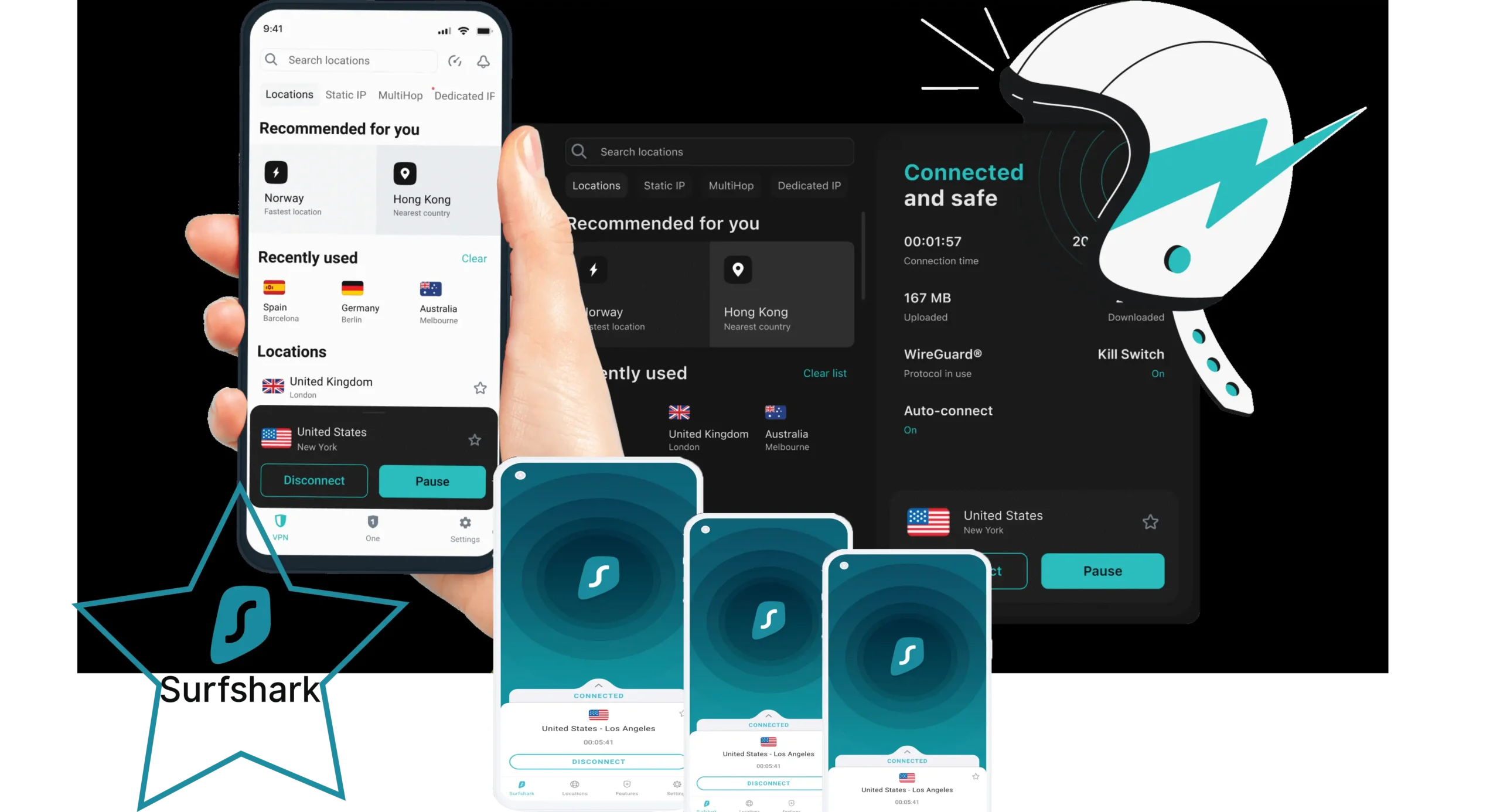
SurfShark VPN !!!
SurfShark VPN
Blazing-Fast Connections for a Seamless Online Experience

Surfshark VPN for Windows: Secure Browsing Without Device Restrictions
Surfshark is another popular choice among Windows users because it provides strong security features, simple operation, and excellent value for money.
One of Surfshark’s biggest advantages is unlimited simultaneous device connections, allowing users to protect multiple devices with a single account. This makes it a convenient option for individuals, families, and users with several Windows devices.
Surfshark supports Windows 10 and Windows 11 and provides an easy-to-use application designed for quick installation and simple management.
Installing Surfshark VPN on Windows
Before using Surfshark, users need an active subscription account. After completing registration, follow these steps:
- Download the Surfshark Windows application.
- Open the setup file and begin installation.
- Follow the instructions displayed on the screen.
- Wait until the installation process is completed.
- Launch the Surfshark application from the desktop shortcut.
- Select the login option and enter your account details.
- Click the connect button to establish a secure VPN connection.
Once connected, Surfshark will protect your internet traffic through an encrypted VPN connection.
Selecting VPN Server Locations
Surfshark allows users to manually select their preferred server location. Users can choose a specific country or allow the application to automatically select the fastest available connection.
The automatic connection option helps users quickly establish a stable VPN connection without manually searching for servers.
Main Features of Surfshark VPN
Unlimited Device Connections
Unlike many VPN providers that limit the number of connected devices, Surfshark allows unlimited simultaneous connections under one account.
Strong Encryption Protection
Surfshark uses advanced encryption methods to protect user information and secure internet traffic from unauthorized access.
CleanWeb Protection
The CleanWeb feature helps block advertisements, trackers, and malicious websites, providing a safer browsing experience.
Kill Switch Security
The built-in Kill Switch prevents data exposure by stopping internet access if the VPN connection unexpectedly drops.
MultiHop Connection
MultiHop allows users to route their connection through multiple VPN servers for an additional layer of privacy.
Modern VPN Protocol Support
Surfshark supports advanced protocols, including WireGuard, OpenVPN, and IKEv2, allowing users to choose between speed and security based on their requirements.
Performance and Reliability
Surfshark provides fast and stable connections suitable for various online activities, including:
- Streaming
- Gaming
- Video calls
- Remote work
- Secure browsing
- Public Wi-Fi protection
Its simple interface and strong feature set make it a practical choice for users searching for an affordable yet powerful Windows VPN.
Why Choose Surfshark for Windows?
Surfshark combines affordability, security, and convenience in one package. With unlimited device connections, strong privacy tools, and a user-friendly Windows application, it provides excellent value for users who want reliable VPN protection without complicated settings.

IP Vanish VPN !!!
IP Vanish VPN
Optimized for Secure Torrenting and P2P Downloads

IPVanish VPN for Windows: Secure Connections with Advanced Privacy Features
IPVanish is a well-known VPN service that provides Windows users with strong online protection, fast performance, and privacy-focused tools. It is designed to secure internet connections while helping users maintain control over their digital privacy.
One of the key features of IPVanish is its strict approach toward user privacy. The service follows a no-logs policy, meaning it does not store records of users’ online activities or connection details while using the VPN service.
IPVanish also provides protection against unexpected VPN disconnections through its Kill Switch feature. If the VPN connection drops, the Kill Switch automatically blocks internet traffic until the secure connection is restored, helping prevent accidental exposure of user information.
Advanced Security Features of IPVanish
Strong Encryption Protection
IPVanish uses advanced encryption technology to protect internet traffic and prevent unauthorized access to personal information. Strong encryption ensures that users can safely browse, work, and communicate online.
Multiple VPN Protocol Options
The service supports various VPN protocols, including:
- WireGuard
- OpenVPN
- IKEv2
- Other secure connection options depending on device compatibility
These protocols allow users to choose a suitable balance between speed, performance, and security.
IPv6 Leak Protection
IPv6 leak protection helps prevent accidental exposure of IPv6 traffic outside the VPN tunnel, ensuring that online activity remains private.
Local Network Blocking
IPVanish provides additional security options that allow users to control local network access and improve protection when connected to public or shared networks.
IPVanish Performance and Compatibility
IPVanish is compatible with multiple platforms, including:
- Windows
- macOS
- Android
- iOS
- Linux
- Supported routers and streaming devices
The service provides reliable speeds for everyday activities such as browsing, streaming, online meetings, and secure file transfers.
Simple IPVanish Installation Process
Installing IPVanish on Windows is a straightforward process.
Follow these steps:
- Download the IPVanish Windows application.
- Open the installation file.
- Follow the setup instructions.
- Launch the application after installation.
- Sign in using your account details.
- Select a VPN server location.
- Click the connect button to activate secure protection.
Once connected, IPVanish encrypts your internet traffic and helps protect your online identity.
Why Choose IPVanish for Windows?
IPVanish is a suitable option for users who want a reliable VPN for Windows with strong privacy features, flexible connection options, and dependable performance. Its combination of encryption, no-logs practices, and user-friendly design makes it a practical choice for protecting Windows devices.

CyberGhost VPN !!!
CyberGhost VPN

CyberGhost VPN for Windows: Simple Protection with Powerful Features
CyberGhost is a popular VPN provider known for offering a user-friendly experience, affordable plans, and strong privacy protection. Based in Romania, the company operates under privacy-friendly regulations and provides various features designed to protect users’ internet connections.
The service is especially attractive for users who want an easy-to-use Windows VPN without complicated configuration. Its simple interface and automated connection options make it suitable for beginners as well as experienced users.
Streaming Optimization
One of CyberGhost’s notable features is its streaming-focused servers. These servers are optimized to help users access streaming platforms and enjoy smoother viewing experiences where content availability varies by region.
The service continuously improves its streaming capabilities to provide better connection quality and reliable performance.
Torrenting and P2P Support
CyberGhost supports P2P connections on selected servers, allowing users to share files while maintaining privacy protection.
Features such as encryption, IP masking, and secure VPN connections help provide a safer torrenting experience.
Smart Rules for Automated Protection
CyberGhost includes Smart Rules, which allow users to customize automatic VPN actions.
For example, users can configure the VPN to:
- Connect automatically when starting Windows.
- Activate protection on specific networks.
- Open selected applications after connecting.
- Customize privacy preferences.
These options provide greater control over how and when the VPN operates.
One-Click Connection Feature
CyberGhost focuses on simplicity. Users can activate VPN protection with a single click, allowing quick access to secure browsing without complicated settings.
The clean interface makes it easy for anyone to connect to a VPN server within seconds.
Global Server Network and Performance
CyberGhost provides a large network of VPN servers across multiple countries. This extensive coverage helps users find suitable connections based on speed, location, and online requirements.
Optimized servers are available for activities such as:
- Streaming
- Gaming
- Browsing
- Downloading
- Secure online communication
Installing CyberGhost on Windows
The installation process is simple:
- Download the CyberGhost Windows application.
- Open the installer.
- Follow the setup instructions.
- Launch the application.
- Sign in with your account.
- Select a server location.
- Click connect to secure your connection.
After connection is established, CyberGhost encrypts your traffic and protects your online activity.
Why Choose CyberGhost for Windows?
CyberGhost is a strong choice for users searching for an affordable and beginner-friendly VPN service. Its simple interface, privacy features, streaming support, and automated tools make it a convenient option for Windows users.
Conclusion: Choosing the Best VPN for Windows in 2026
Using an unsecured internet connection, especially on public Wi-Fi networks, can put your personal information at risk. Cybercriminals can monitor traffic, steal sensitive information, or create fake networks designed to collect user data.
In addition to online threats, websites, advertisers, and other third parties may track browsing activity and collect information about users’ online behavior.
A reliable VPN for Windows provides an effective solution by encrypting your internet connection, hiding your IP address, and improving online privacy.
The best VPN choice depends on your personal requirements:
- Choose ExpressVPN if you want premium speed, simplicity, and advanced security.
- Choose NordVPN if you prefer powerful privacy tools and strong performance.
- Choose Surfshark if you need unlimited device connections at an affordable price.
- Choose IPVanish if you want flexible settings and strong privacy protection.
- Choose CyberGhost if you prefer an easy-to-use VPN with streaming-focused features.
Regardless of which provider you select, investing in a trustworthy VPN service is an important step toward creating a safer and more private online experience.